


If you’ve ever stared at a cable bill creeping past $150 and wondered what you’re really paying for, you aren’t alone. That number often includes more unwanted channels, hidden fees, and long-term contracts than it does actual entertainment. It’s this frustration that has millions of people looking for a better, more affordable way to watch live TV. Select the best iptv subscription.
You may have heard friends or online forums mention an alternative called IPTV. The name stands for Internet Protocol Television, which is just a technical way of saying the TV channels are delivered through your home internet connection, the same way movies arrive on Netflix. Instead of a cable line or satellite dish, all you need is an internet connection and a compatible device.
The main reason for the buzz around an IPTV subscription is the dramatic difference in IPTV vs cable TV cost. Many of these services offer access to thousands of channels from all over the world for a low monthly price, often less than a single premium channel would cost on a traditional cable package. For viewers wanting more selection for less money, the appeal is undeniable.
But with such a low price point, it’s fair to ask what the catch is. The world of IPTV is vast, containing everything from completely legal, mainstream services to unverified providers that come with significant risks to your security and service reliability. This guide breaks down the good, the bad, and what you absolutely need to know before you sign up.
What Exactly Is IPTV? (It’s Much Simpler Than You Think)
That technical-sounding name, “IPTV,” is much simpler than it seems. It stands for Internet Protocol Television, but all you need to know is that it means watching live TV channels through your home internet connection. Instead of a signal coming from a cable line or a satellite dish on your roof, the shows arrive the same way movies do on Netflix. If you’ve ever watched YouTube TV or Sling TV, you’ve already used a form of IPTV. It’s not a single company or brand; it’s the technology that makes TV-over-the-internet possible.
However, when people talk about getting thousands of channels for a low price, they’re usually referring to a specific corner of the IPTV world. Think of it like this: there are two completely different kinds of services. On one side, you have the official, licensed providers like Hulu + Live TV. They operate like well-known department stores—offering a curated selection with official apps and customer support. On the other side are thousands of small, unlicensed online providers who offer massive channel lists for a very low fee, operating more like a sprawling digital marketplace with little oversight.
This distinction is the key to navigating the IPTV landscape. IPTV isn’t one thing—it’s a technology that powers both fully legal, mainstream services and a vast gray market of low-cost alternatives. The rest of this guide will help you navigate these two worlds, showing you the benefits and the risks of each so you can decide what, if anything, is right for you.
The Two Worlds of IPTV: Official Services vs. Low-Cost Online Providers
The single biggest question people have is simple: is using an IPTV service legal? The answer depends entirely on which of the two worlds you’re in. The massive price difference you see between services isn’t about technology; it’s about permission.
At the heart of it is content licensing. Think of a TV channel like ESPN or HBO as a product. For a service provider to legally resell that “product” to you, they must pay the network a hefty fee for the rights. This is the core of their business model, and it’s why your cable or YouTube TV bill can feel so high—they are paying for every single channel they offer.
This creates two very different categories of providers, which is essential for anyone looking for the best IPTV providers or reading a review.
- Official, Licensed Services (The “Green Light”): These are the household names like Sling TV, Hulu + Live TV, and YouTube TV. They have official apps in the Apple and Google Play stores, offer customer support, and, most importantly, pay licensing fees for the channels they carry. They are 100% legal.
- Unlicensed Online Providers (The “Yellow/Red Light”): These are the thousands of services you find on social media, online forums, or through word-of-mouth, often promising 10,000+ channels for a small monthly fee. They operate in a legal gray area because they capture and rebroadcast channels without paying licensing fees.
So, why are the unlicensed services so incredibly cheap? Because they skip that expensive licensing step entirely. This is the catch. While the promise of getting every channel imaginable for $15 a month sounds amazing, that “savings” comes at the cost of reliability, security, and legality. This trade-off is the key to finding a reliable IPTV service that won’t disappear overnight.
IPTV vs. Cable TV: A Head-to-Head Cost and Channel Comparison
Let’s talk numbers, because that’s where the difference truly hits home. The average cable bill often soars past $150 per month for around 200 channels, many of which you rarely watch. Compare that to a common online IPTV subscription, which might offer over 10,000 channels for just $15 to $25 a month. The IPTV vs. cable TV cost isn’t just a small gap; it’s a chasm. This incredible price drop is the primary reason so many people are exploring these alternatives.
Beyond the price, the sheer variety of content is staggering. While your cable package gives you a pre-selected lineup, a cheap IPTV service is like an all-you-can-eat global entertainment buffet. You can find channels from different countries, dedicated 24/7 streams of popular shows, and access to nearly every sports package imaginable. It’s less about having 10,000 channels to surf and more about having the one specific channel you want—whether for an international soccer match or a niche hobby—available when you want it.
Finally, there’s the issue of commitment. Cable companies are famous for locking customers into one or two-year contracts with steep penalties for early cancellation. In contrast, most IPTV subscription services operate on a simple month-to-month basis, just like Netflix. If you’re not happy with the service or just want to take a break, you can cancel anytime without a hassle. This freedom is a major selling point for those tired of being tied down.
Your 4-Ingredient Recipe for Getting Started with IPTV
Thinking about an IPTV setup might seem technical, but it’s best to view it as a simple recipe with four main ingredients. This short IPTV setup guide for beginners shows how it works. You don’t just buy a single box called “IPTV”; instead, you bring these four separate components together. The good news is you probably have half of what you need already.
For any service to function, you simply need to have the following four pieces in place. Each one plays a critical role in delivering TV to your screen.
- A Fast Internet Connection: This is the highway your TV channels travel on.
- A Compatible Device: The screen you’ll watch on, like a Smart TV or a streaming stick from our compatible devices list.
- An IPTV Player App: The program that organizes and plays the channels, acting like a digital cable box.
- An IPTV Subscription: The service that provides the actual list of channels and shows you pay for.
Each part has its own job. The subscription gives you the channel lineup, the app acts as the player, the device puts it on a screen, and the internet connects them all. Getting started just means making sure you have the right pieces in place.
Step 1: Choosing a Device to Watch On
Chances are, you already have a device that can work with IPTV. The key isn’t the brand of your TV, but what it can do. If your Smart TV, Android box, or even a modern gaming console allows you to browse and install new apps, it’s a potential candidate. This ability to add software is the single most important factor, as you’ll need to install a specific player app to run the service. A comprehensive IPTV compatible devices list would be long, but they all share that one crucial feature: an app store.
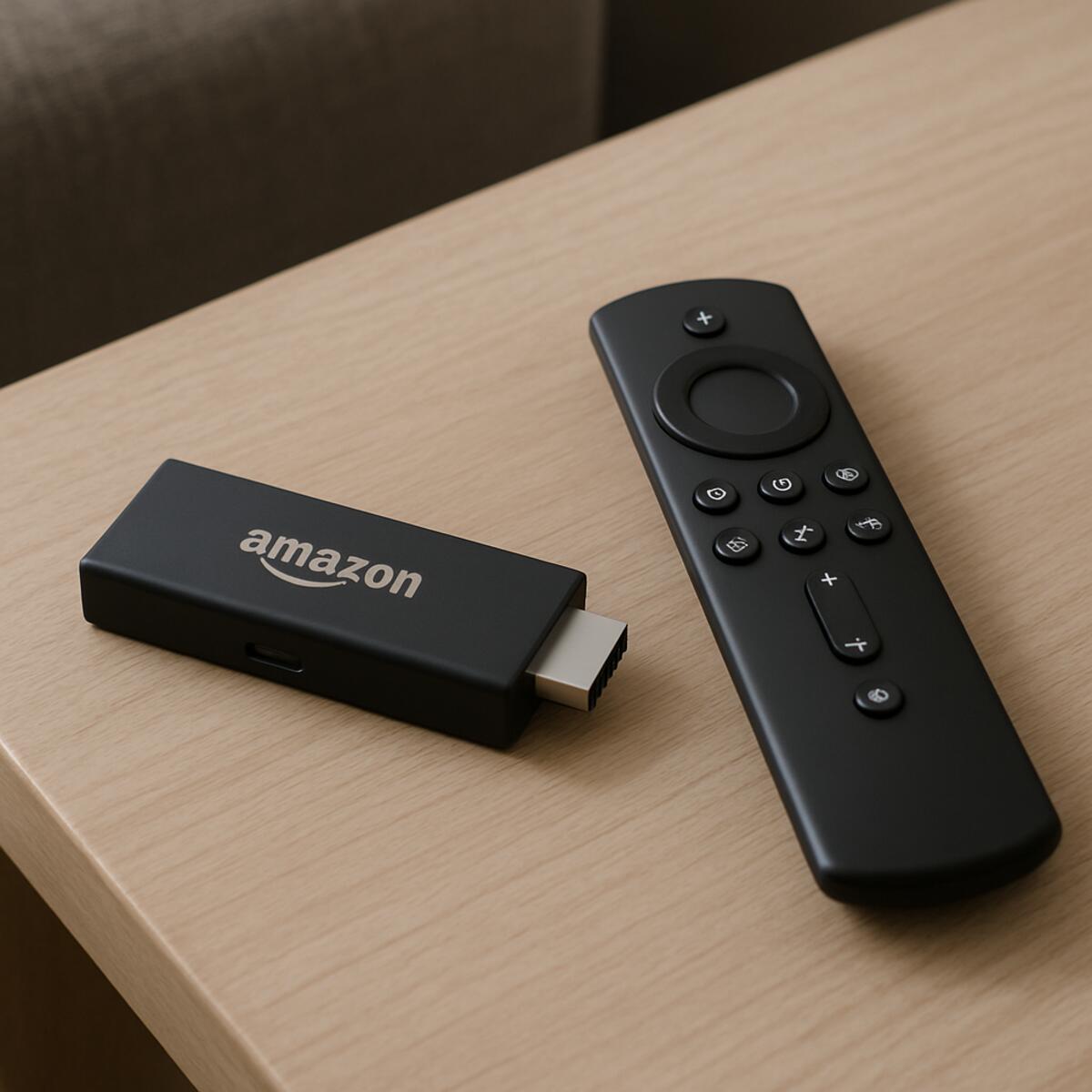
While many gadgets work, this is one area where a dedicated streaming stick is often the best choice for a smooth IPTV setup guide. Devices like the Amazon Fire Stick are incredibly popular for a reason—they are inexpensive, simple to use, and purpose-built for streaming. Unlike some older Smart TVs that can be slow or have limited app choices, a modern Fire Stick is designed specifically to handle IPTV player apps for Firestick, ensuring better performance and a less frustrating experience.
Of course, a Fire Stick or Smart TV doesn’t come with IPTV ready to go out of the box. Think of the device as a powerful but empty DVD player; it needs the right software installed on it to know how to find, organize, and play your TV channels. That essential piece of software is called an IPTV player app.
Step 2: What’s an IPTV Player App and Which One Should I Use?
Now that you’ve got your streaming device, the next piece of this IPTV setup guide for beginners is the ‘brain’ of the operation: the player app. Continuing our previous analogy, if your Fire Stick is the empty DVD player, the IPTV player app is the software inside that knows how to read the disc, display the menus, and play the movie. This app is what you’ll use to browse channels, look at the TV guide, and select what you want to watch.
It’s crucial to understand that the player app itself does not come with any TV channels. Think about the Netflix app on your TV; installing the app is free, but it’s empty and useless until you log in with your paid Netflix subscription. An IPTV player app works exactly the same way. It is simply a tool, and it requires a separate subscription from an IPTV provider to actually access any content.
When searching your device’s app store, you’ll find many IPTV player apps for Firestick and other devices, but a few stand out for their reliability. Apps like TiviMate and IPTV Smarters Pro are incredibly popular because they offer a clean, familiar interface that feels just like a traditional cable box. A smooth, well-designed player app makes a huge difference in your daily viewing experience, and many users find the straightforward TiviMate setup to be worth the small one-time fee some advanced players charge.
So, you have your device (the hardware) and you’ve chosen a player app (the software). You’re just missing the final, most important ingredient: the subscription that provides the actual list of channels. This subscription is what you will load into your player app to bring it all to life.
Step 3: Understanding Your Subscription (What are M3U & EPG?)
After you’ve installed your player app, your IPTV provider will send you what acts as your “login details.” But instead of a simple username and password, you’ll usually get a couple of long, strange-looking web links. Don’t let them intimidate you; these are just the special keys needed to unlock all your channels and guide data. These two keys are commonly known as your M3U link and your EPG link.
Think of the first link, the M3U, as your personal, secret list of channels. The answer to what is an M3U playlist is just that: it’s a unique web address that tells your player app, “Here are all the channels this person paid for.” When you paste this link into your app, it instantly knows where to find everything from live sports to premium movie networks. It’s the essential link that delivers the actual content to your screen.
The second link is for the EPG, which stands for Electronic Program Guide. Just as the name implies, this is what powers your interactive, on-screen TV guide. This link provides all the crucial scheduling information—what’s on right now and what’s coming up next on every single channel. As the electronic program guide (EPG) explained here shows, without it, you’d have thousands of channels but would be flying blind, unable to see what’s playing.
Completing this part of the IPTV setup guide is incredibly straightforward. You simply copy these two links from your provider and paste them into the designated fields within your player app. The app handles all the technical work from there.
The Big Question: Is It Safe to Use a Low-Cost IPTV Service?
When you see a service offering thousands of channels for a rock-bottom price, it’s natural to wonder if it’s too good to be true. The simple answer is that it often comes with significant risks. The core issue is that the vast majority of these low-cost IPTV providers operate without official licenses from the content owners. This creates a shaky foundation for the service you’re paying for.
The most common problem you’ll face isn’t a knock on your door, but what’s often called the “disappearing act.” Because these services are distributing content without permission, they are constantly at risk of being shut down by internet service providers or legal authorities. This means that a service you paid for—especially if you bought a “lifetime” or annual subscription—could vanish overnight without any warning or refund. Finding a reliable IPTV service can feel like a lottery because even popular ones can suddenly go dark.
Beyond the service simply vanishing, you also face payment security concerns. You are handing your credit card information or making a payment to an anonymous, unregulated entity. Unlike subscribing to Netflix or your local cable company, there’s no official customer support to call or consumer protection to fall back on if something goes wrong. These are major IPTV subscription risks to consider before you enter any payment details.
Ultimately, while the question of is using an IPTV service legal is complicated and varies by country, the practical risks are much clearer: the service is unstable, your money is at risk, and your payment information is being given to an unknown party. Because of this unstable and untracked environment, many users turn to an extra layer of protection.
Why a VPN is Often Recommended for IPTV Streaming
Given the unstable nature of many low-cost IPTV providers, users often turn to an extra tool for security and performance: a VPN. A VPN, or Virtual Private Network, is a simple app that creates a private, secure tunnel for your internet connection. Think of it like putting your internet activity inside a sealed, unmarked envelope before sending it out. No one, not even your own Internet Service Provider (ISP), can peek inside to see what you’re doing or where you’re going online.
One of the biggest reasons people use a VPN for streaming is to solve frustrating buffering issues. Sometimes, your internet provider might intentionally slow down, or “throttle,” your connection when it detects you’re streaming a lot of video. Because a VPN hides the nature of your traffic, your provider can’t tell that you’re streaming. This can often lead to a smoother picture with less freezing, directly addressing one of the most common complaints about how to fix IPTV buffering issues.
Beyond performance, a VPN adds a crucial layer of privacy. Since you are connecting to an unofficial service, using a VPN prevents your ISP from logging that activity. It keeps your streaming habits completely private, which is a major reason why people use a VPN for streaming IPTV. As a bonus, some VPNs can also help you get around “geoblocks”—the restrictions that lock content to certain countries—by making it appear as if you’re browsing from another location.
However, a VPN is a tool for privacy and performance, not a magic fix for a bad service. It can’t stop a provider from disappearing overnight. To avoid that headache, you still need to choose your IPTV subscription carefully from the start.
How to Find a Reliable IPTV Service: A 5-Point Checklist
To pick a service that won’t disappear tomorrow, you can use a few simple checks to spot the difference between a quality provider and a quick scam. Before you commit your money, run any potential service through this five-point checklist.
The single most important factor is whether they stand behind their product. A confident provider will always let you test-drive their service. You wouldn’t buy a car without a test drive, and you shouldn’t buy a subscription without one either.
- Always Ask for a Free Trial: The best providers offer 24-48 hour free IPTV service trials. This lets you check for channel stability, video quality, and buffering issues on your own internet connection before paying. If a provider doesn’t offer a trial, walk away.
- Check for Real Customer Support: Send them a pre-sales question. A professional service will have a responsive support system (like a ticket system or live chat) and answer you within a reasonable time. If you can’t get a hold of anyone before you pay, imagine how hard it will be when you have a problem.
- Be Wary of “Lifetime” Deals: A super-cheap, one-time payment for “lifetime” access is almost always a red flag. These business models aren’t sustainable, and the service will likely vanish long before your “lifetime” is up, taking your money with it.
- Read Recent, Independent Reviews: Don’t just rely on testimonials from the provider’s website. Search for the service name on platforms like Reddit to find a best IPTV providers review from real users. Look for recent comments about uptime and customer service.
- Review Payment Options: Be cautious if a provider only accepts untraceable payment methods like cryptocurrency. While many use it, a service that also offers options to pay via credit card (even through a third-party gateway) adds a layer of accountability.
Ultimately, the goal is to find a stable service that fits your needs, not just the cheapest one. A provider that passes this checklist is more likely to be a partner for your entertainment than a source of frustration.
Beyond Live TV: What Are VOD and Catch-Up?
A great IPTV package offers more than just flipping through live channels; it often comes with powerful features that combine the best of live TV and streaming services. The most common of these is Video on Demand, or VOD. Think of this as a massive, built-in library of movies and full TV series, similar to what you’d find on Netflix or Hulu. A quality IPTV service with video on demand means you can stop channel surfing at any time and instantly choose from thousands of titles to watch whenever you want.
The second game-changing feature you’ll find is Catch-Up TV. Have you ever missed an episode of a show that aired yesterday or joined a movie halfway through? Catch-Up is like a time machine for television. It automatically records most channels for the past few days, allowing you to scroll back in time on your on-screen TV guide (your Electronic Program Guide, or EPG) and play programs that have already finished. It’s like having a DVR for every channel without ever needing to set a recording.
When combined, these features can transform a simple subscription into a complete entertainment hub. The best IPTV providers often include both VOD and Catch-Up, potentially allowing you to consolidate your streaming apps into a single, cost-effective service.
How to Fix the #1 Annoyance: Constant IPTV Buffering
Nothing ruins movie night faster than the dreaded buffering wheel. When your show constantly freezes, it’s easy to blame your IPTV provider, but more often than not, the solution lies within your own home setup. Figuring out how to fix IPTV buffering issues is often a matter of making a few simple checks that don’t require any technical expertise.
Your internet connection is like a water pipe to your TV. If the pipe is too narrow (slow internet plan), clogged with traffic (too many devices on weak Wi-Fi), or has a temporary kink in it (a device that needs restarting), the video stream can’t flow smoothly. Before you contact support, running through a quick troubleshooting list can often get things moving again.
Here is a checklist to solve buffering, starting with the easiest fixes:
- Restart everything: First, unplug your streaming device (like a Fire Stick) and your internet router for 60 seconds. This simple step clears out temporary glitches and is surprisingly effective.
- Go wired with Ethernet: This is the single best fix. If you can, connect your streaming device directly to your router with an Ethernet cable. A wired connection is always more stable than Wi-Fi.
- Test your speed: On your streaming device, use a free app or website like Speedtest.net to see if you’re actually getting the internet speed you pay for.
- Try a different player app: Sometimes the app itself is the bottleneck. Installing a different IPTV player app can occasionally make a world of difference.
- Consider a VPN: In some cases, internet providers slow down streaming traffic. Using a reliable VPN for streaming IPTV can bypass these slowdowns.
Working through these steps will resolve the vast majority of streaming stutters. A stable connection is the foundation of a great viewing experience.
Your First IPTV Setup: A 5-Step Walkthrough for Fire Stick
You’ve chosen a provider and have your subscription links—the keys to your new TV world. Now, you just need the right app to unlock it all. This simple IPTV setup guide for beginners focuses on the Amazon Fire Stick, the most popular device for IPTV. While some apps are in the Amazon Appstore, many of the best ones require one extra step.
It’s a process called “sideloading,” which sounds technical but is surprisingly easy. It just means installing an app from outside Amazon’s official store. To do this, you’ll need a free tool called Downloader. You can find and install the Downloader app by searching for it right in the Amazon Appstore—it’s the master key for getting the best IPTV player apps for Firestick.
Once you have Downloader installed, getting your service running takes just a few minutes. Follow these five steps exactly:
- Install the ‘Downloader’ App from the official Amazon Appstore and open it.
- Allow App Installs in your Fire Stick’s settings when prompted. Downloader will usually guide you here.
- Enter the App Code in Downloader’s search bar. Your IPTV provider will give you a short number code for their recommended player app (like TiviMate or IPTV Smarters).
- Install the player app once it finishes downloading, then open it.
- Add Your Subscription. Inside the app, choose to add a new playlist and enter the M3U and EPG links your provider sent you. Think of the M3U link as your master channel list and the EPG as the on-screen TV guide for them.
And that’s it! Your channels and TV guide should begin to load. With the technical setup complete, you can now decide if an IPTV subscription is truly the right choice for your household in the long run.
Is an IPTV Subscription Right for You? A Final Checklist Before You Buy
The world of IPTV can feel like a confusing maze of technical terms and too-good-to-be-true offers. But you can see the landscape clearly now: the difference between a legitimate streaming service and an unlicensed provider is no longer a mystery. You are equipped to look past the promise of endless channels and ask the right questions about safety, reliability, and legality.
The decision boils down to a personal trade-off. On one side, you have the powerful appeal of massive content libraries for a fraction of the cost of cable. On the other, you have the stability, security, and peace of mind that come with licensed, mainstream services. Choosing the best IPTV subscription isn’t about finding a secret deal; it’s about weighing what you value most.
To find your answer, ask yourself these three final questions before you commit:
- Am I comfortable with the risks of an unlicensed service?
- Is saving money worth the potential for occasional technical issues?
- Have I used the 5-point checklist to research a provider and test a free trial?
Answering these honestly will point you to the right solution for your home. Whether you explore a reliable IPTV service or decide a traditional streamer is a better fit, you are no longer just guessing. You are making an informed choice, fully prepared to navigate this new era of television with confidence.
