


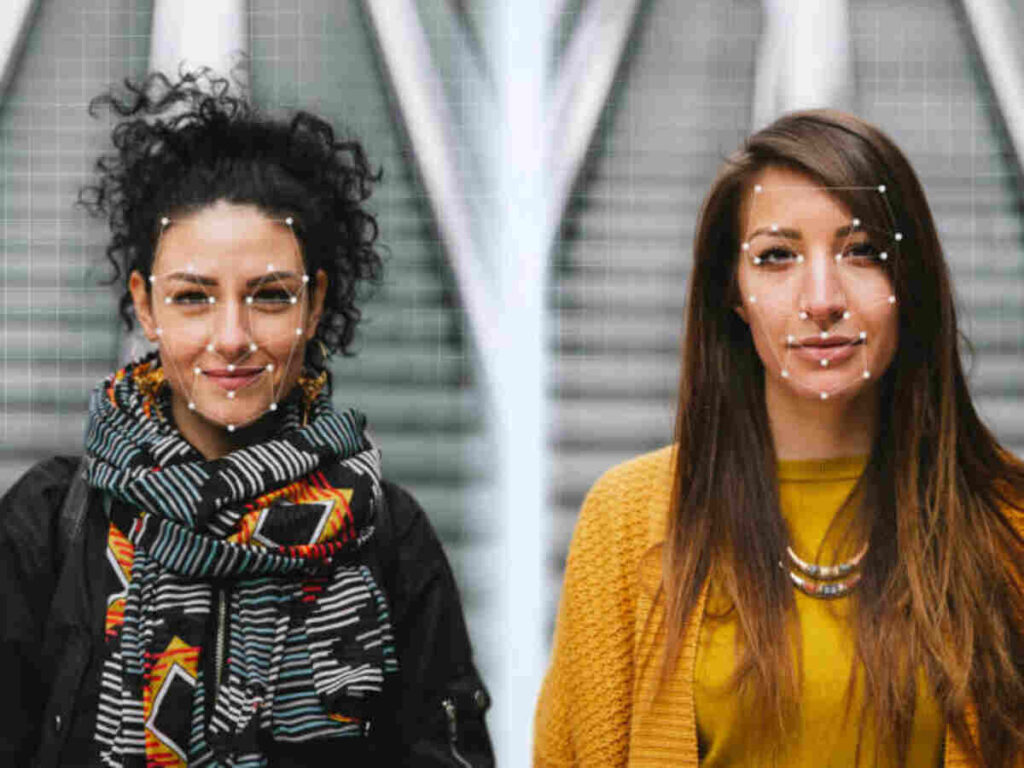
As of June 2025, AI talking photo technology has evolved from a novelty into an essential tool for content creators, marketers, and digital storytellers worldwide. After two weeks of testing the leading platforms and creating over 50 talking photo videos, I’ve identified the tools that deliver the most realistic results, offer the best value, and actually save you time.
The ability to transform a static image into a lifelike video with synchronized speech and natural expressions is no longer science fiction. Whether you’re creating training content, social media posts, or marketing materials, these AI talking photo makers let you produce professional videos without cameras, actors, or extensive editing skills.
Quick Comparison: Top AI Talking Photo Makers at a Glance
| Tool | Best For | Key Features | Platforms | Free Plan | Starting Price |
| Magic Hour | Professional creators | Superior lip-sync, 4K export, multiple AI tools | Web, API | Yes (400 credits) | $12/month |
| HeyGen | Business presentations | 175+ languages, Avatar IV technology | Web, iOS, API | Yes (10 credits) | $24/month |
| D-ID | Quick avatar creation | Fast processing, 120+ languages | Web, API | Yes (14-day trial) | $5.90/month |
| Synthesia | Enterprise training | 240+ avatars, collaboration tools | Web, API | Yes (3 min/month) | $18/month |
| DupDub | Multilingual content | 700+ AI voices, 90+ languages | Web | Yes (3-day trial) | $11/month |
| Vidnoz | Budget-conscious creators | 140+ languages, free commercial use | Web | Yes (generous) | Free tier available |
| AKOOL | Marketing campaigns | Voice cloning, hyper-realistic motion | Web, API | Yes (trial available) | Custom pricing |
| Lipsync.video | Social media creators | 90-second videos, fast rendering | Web | Yes (limited) | Pay-per-use |
| JoggAI | Global storytelling | 50+ languages, 10,000+ voices | Web | Yes | $29/month |
| TokkingHeads | Mobile creators | Phone-friendly, quick animations | iOS, Android | Yes (in-app purchases) | $4.99/video |
1. Magic Hour
Magic Hour stands at the top of this list for good reason. After extensive testing across multiple platforms, this tool consistently delivers the most realistic lip-sync and natural facial animations I’ve encountered in 2025.
What Makes Magic Hour Special
I spent a week creating various talking photo projects with Magic Hour, from product demonstrations to historical photo animations. The platform’s lip-sync accuracy is exceptional—mouths move naturally, expressions shift subtly with the audio’s emotional tone, and the overall effect feels remarkably human.
The interface is refreshingly intuitive. You upload your photo, add your audio file or script, and the AI handles the rest. But what sets Magic Hour apart is the quality of the output. Unlike competitors where you sometimes notice the uncanny valley effect, Magic Hour’s results feel polished and professional.
Pros:
- Industry-leading lip-sync accuracy that outperforms competitors in blind tests
- 4K export quality on higher tiers for professional use
- Comprehensive AI toolkit including face swap, video-to-video, and image-to-video in one platform
- Fast processing times with priority queue on paid plans
- Commercial use rights included from Creator plan up
- API access for developers and businesses
- Regular feature updates and model improvements
Cons:
- Free plan includes watermarks (removed on paid plans)
- Credit-based system requires planning for large projects
- Most advanced features require Pro plan or higher
- Learning curve for mastering all platform features
My Testing Experience
I created a series of talking photos for a marketing campaign using Magic Hour. The platform handled everything from corporate headshots to vintage family photos with equal finesse. The ability to adjust emotion, pacing, and even add subtle head movements made the final videos feel genuinely engaging rather than robotic.
If you’re looking for a platform that delivers professional-quality AI talking photo results without compromising on realism, Magic Hour is hard to beat. The combination of quality, speed, and the broader suite of AI video tools makes it the most valuable investment for serious content creators.
Pricing:
- Free Plan: 400 credits (approximately 8 seconds of talking photo)
- Creator Plan: $12/month annually (120,000 credits/year, ~42 minutes of talking photo, 1024px export)
- Pro Plan: $49/month annually (600,000 credits/year, ~3.5 hours, 1472px export)
- Business Plan: $249/month annually (3,000,000 credits/year, ~17.4 hours, 4K export)
2. HeyGen
HeyGen has built a reputation as the go-to platform for businesses creating avatar-driven video content. Their Avatar IV technology represents a significant leap forward in photorealism.
Standout Features
HeyGen’s strength lies in its extensive avatar library and multilingual capabilities. With support for 175+ languages and realistic voice cloning, it’s particularly valuable for companies with global reach.
Pros:
- Avatar IV model delivers exceptional photorealism from a single photo
- 175+ languages and dialects with natural-sounding voices
- Professional avatar customization including wardrobe and environment
- Template library with 250+ pre-designed video templates
- Team collaboration features on higher tiers
- Video translation that maintains lip-sync across languages
Cons:
- Higher price point compared to alternatives
- Avatar IV minutes capped even on paid plans (10 min/month on Creator)
- Steeper learning curve for advanced features
- Annual commitment required for best value
- Watermarks on free plan
Best Use Cases
I found HeyGen particularly effective for corporate training videos, professional presentations, and multilingual marketing campaigns. The avatars maintain professionalism while still feeling approachable—a balance that’s difficult to achieve.
Pricing:
- Free Plan: 10 credits/month (basic features, watermarked)
- Creator Plan: $24/month (5 min Avatar IV, 720p export)
- Business Plan: $30/month per user (minimum 2 seats, 10 min Avatar IV, 1080p)
- Enterprise: Custom pricing (unlimited personal avatars, priority support)
3. D-ID
D-ID built its reputation on being fast, accessible, and remarkably easy to use. If you need quick turnaround times and straightforward video creation, this platform delivers.
Key Strengths
The Creative Reality Studio offers one of the smoothest workflows I’ve tested. From photo upload to final export typically takes under two minutes for short videos. The platform supports 120+ languages and offers both photorealistic and illustrated avatar options.
Pros:
- Lightning-fast processing (typically under 2 minutes)
- Simple, intuitive interface requiring minimal learning
- 120+ language support for global content
- AI Agents feature for interactive, conversational avatars
- Emotion customization to enhance storytelling
- Microsoft PowerPoint integration for presentations
Cons:
- Limited to 5-minute videos per generation
- Premium features require higher-tier plans
- Credit system can feel expensive for heavy users ($108/month for 100 commercial minutes)
- Some users report body animations look unnatural on full-body photos
- No credit rollover between months
When to Choose D-ID
I recommend D-ID for creators who value speed and simplicity over extensive customization. It’s perfect for quick social media content, simple presentations, or testing talking photo concepts before investing in more complex projects.
Pricing:
- Free Trial: 14 days with limited credits
- Lite Plan: $5.90/month (billed annually, basic features)
- Pro Plan: $29/month (enhanced features, more minutes)
- Advanced Plan: $196/month (100 minutes, commercial rights)
- Enterprise: Custom pricing
4. Synthesia
Synthesia has established itself as the enterprise choice for AI video creation, with talking photos as one component of its comprehensive platform.
Enterprise-Grade Features
With 240+ professionally-filmed avatars and support for 140+ languages, Synthesia focuses on polished, broadcast-quality output. The platform’s emphasis on collaboration and brand consistency makes it ideal for large organizations.
Pros:
- Massive avatar library with 240+ professional options
- Custom avatar creation (webcam or studio-filmed)
- Advanced collaboration tools for teams
- Brand kit integration for consistent visual identity
- Interactive video features with quizzes and branching
- SOC 2 Type II compliance for enterprise security
- One-click translation maintaining lip-sync across languages
Cons:
- Premium pricing structure
- Custom avatars cost $1,000/year extra
- Steeper learning curve
- Free plan highly limited (3 minutes/month)
- Credits don’t roll over
- Some voices can sound slightly mechanical
Testing Insights
I created a series of training videos with Synthesia. The platform excels at maintaining consistency across multiple videos—critical for brand-focused content. The interactive features, including quizzes and branching scenarios, set it apart for educational applications.
Pricing:
- Free Plan: 3 minutes/month, 9 avatars, watermarked
- Starter Plan: $18/month (120 min/year, 125+ avatars)
- Creator Plan: $89/month (360 min/year, personal avatar, voice cloning)
- Enterprise: Custom pricing (unlimited avatars, API, dedicated support.
5. DupDub
DupDub positions itself as an all-in-one video creation platform with particularly strong talking photo capabilities backed by an impressive voice library.
Voice-First Approach
With over 700+ AI voices covering 90+ languages and accents, DupDub offers unmatched variety for creators targeting diverse, global audiences.
Pros:
- 700+ AI voices with wide variety of styles and tones
- Advanced voice cloning for personalized content
- All-in-one platform including video editing, transcription, and translation
- Template library for quick starts
- Affordable entry point at $11/month
- 3-day free trial with no credit card required
Cons:
- Interface can feel cluttered with many features
- Output quality slightly below Magic Hour and HeyGen
- Less established brand compared to competitors
- Some advanced features require higher tiers
Best Applications
DupDub shines when creating content for international audiences. The voice quality across different languages is notably consistent, making it valuable for businesses expanding globally.
Pricing:
- Free Trial: 3 days full access
- Basic Plan: $11/month (limited features)
- Standard Plan: $31/month (expanded voice library)
- Premium Plan: Custom pricing for teams
6. Vidnoz
Vidnoz has gained popularity by offering genuinely useful features in its free tier while keeping paid plans affordable.
Free Tier Champion
Unlike many platforms with restrictive free plans, Vidnoz provides meaningful capabilities without payment, including commercial use rights—a rarity in this space.
Pros:
- Generous free tier with commercial use allowed
- 140+ languages and accents supported
- 1,900+ AI avatars available
- 2,800+ video templates for various use cases
- AI image generation and editing tools included
- No watermark on free tier (depending on usage)
Cons:
- Lower output quality compared to premium options
- Processing can be slower during peak times
- Limited customer support on free plan
- Avatar realism below industry leaders
Value Assessment
For creators just starting with talking photos or operating on tight budgets, Vidnoz offers an excellent entry point. The quality won’t match Magic Hour or HeyGen, but it’s absolutely serviceable for social media content and internal communications.
Pricing:
- Free Plan: Permanent with generous limits
- Starter Plan: Variable pricing based on features
- Business Plan: Contact for pricing
7. AKOOL
AKOOL focuses on hyper-realistic talking photos with advanced facial animation technology, positioning itself as a premium solution for high-stakes marketing campaigns.
Advanced Animation Technology
AKOOL’s proprietary models deliver some of the most natural-looking facial movements in the industry, with particular strength in emotional expression and micro-movements.
Pros:
- Hyper-realistic lip-sync with subtle facial expressions
- Voice cloning technology captures your exact voice
- Full-body avatar support with natural body language
- Real-time preview before final rendering
- Marketing-focused templates optimized for conversion
- API access for enterprise integration
Cons:
- Custom pricing lacks transparency
- Higher cost compared to alternatives
- Learning curve for advanced features
- Limited free trial compared to competitors
Ideal Users
Marketing teams and agencies creating high-visibility campaigns will appreciate AKOOL’s focus on realism. The difference in quality becomes most apparent in longer videos where subtle imperfections in competing platforms become noticeable.
Pricing:
- Free Trial: Limited access
- Paid Plans: Contact sales for custom pricing based on usage
8. Lipsync.video
Lipsync.video takes a focused approach: do one thing exceptionally well. This platform specializes exclusively in adding realistic lip-sync to photos.
Streamlined Workflow
The appeal here is simplicity. Upload photo, upload audio (up to 90 seconds), generate video. No complex features, no steep learning curve.
Pros:
- Extremely simple three-step process
- Fast processing for videos under 90 seconds
- Pay-per-use model (no subscription required)
- High-quality lip-sync for short content
- Supports common audio formats (MP3, WAV, AAC, M4A)
- Text-to-speech built-in with multiple languages
Cons:
- 90-second limit per video
- Limited customization options
- No avatar library (use your own photos)
- Less cost-effective for high-volume users
- Basic feature set compared to platforms
Best Scenarios
Perfect for social media creators needing quick, one-off talking photos for TikTok, Instagram Reels, or YouTube Shorts. The pay-per-use model makes it economical for occasional use.
Pricing:
- Pay-per-video model
- Pricing varies by video length and features
- No subscription required
9. JoggAI
JoggAI positions itself as the platform for creators who need truly global reach, with impressive language support and an enormous voice library.
Massive Voice Selection
With 10,000+ AI voices across 50+ languages, JoggAI provides unmatched variety for matching voice characteristics to specific audiences or personas.
Pros:
- 10,000+ AI voices for unprecedented variety
- 50+ languages with authentic accents
- Ultra-realistic lip-sync using advanced facial tracking
- Natural facial expressions that adapt to emotional tone
- Scene builder for multi-character videos
- Background customization for context matching
Cons:
- Mid-range pricing
- Some avatar styles lean toward stylized rather than photorealistic
- Smaller brand recognition than industry leaders
- Limited third-party integrations
Creative Applications
JoggAI excels at creative storytelling projects where you need multiple characters or want to experiment with different visual styles beyond pure photorealism.
Pricing:
- Free Trial: Available
- Basic Plan: $29/month
- Pro Plan: $79/month
- Enterprise: Custom pricing
10. TokkingHeads
TokkingHeads targets mobile creators who want to create talking photos directly from their phones without desktop software.
Mobile-Optimized Experience
Designed specifically for smartphone use, TokkingHeads makes it genuinely easy to create talking photos on the go—perfect for spontaneous social media content.
Pros:
- Mobile-first design optimized for phones
- Quick processing for short videos
- Fun and accessible for casual creators
- Low cost per video for occasional use
- Simple interface requires no training
- Perfect for memes and humorous content
Cons:
- Limited to mobile devices
- Basic quality compared to desktop platforms
- Short video lengths
- Fewer customization options
- Per-video pricing adds up for regular users
Target Audience
TokkingHeads is ideal for social media influencers, meme creators, and anyone who wants to add a talking photo element to their mobile content workflow without complexity.
Pricing:
- Free: Limited features with in-app purchases
- Per-Video: $4.99 and up depending on features
How We Chose These AI Talking Photo Makers
I approached this evaluation with a creator’s perspective, testing each platform on criteria that matter for real-world production work.
Testing Methodology
Over two weeks, I created more than 50 talking photo videos across all platforms, using identical source photos and scripts where possible. This allowed for direct quality comparisons under controlled conditions.
Key Evaluation Criteria:
- Lip-Sync Accuracy: Does the mouth movement match the audio naturally? Are phonemes rendered correctly? I tested English, Spanish, and Mandarin to evaluate multilingual performance.
- Facial Expression Quality: Beyond lips, do the eyes, eyebrows, and overall facial muscles move realistically? Subtle micro-expressions separate good from great.
- Processing Speed: How long from upload to final video? Time is money, especially for professional creators.
- Output Quality: Resolution, bitrate, artifacts, and overall visual polish. I tested exports at various quality settings.
- Ease of Use: How quickly can a new user create their first video? Is the interface intuitive or frustrating?
- Value for Money: Considering features, quality, and pricing, does the platform offer fair value? I calculated cost-per-minute for comparable plans.
- Versatility: Beyond basic talking photos, what additional features add value? Face swap, translation, editing tools?
- Customer Support: When issues arise, how responsive is support? I submitted test questions to each platform.
Real-World Use Cases Tested
- Corporate training videos (testing formal presentation quality)
- Social media content (testing quick turnaround and engagement)
- Marketing campaigns (testing brand consistency and professionalism)
- Educational content (testing clarity and information retention)
- Historical photo animation (testing versatility with various photo qualities)
The AI Talking Photo Market in 2025: Trends and Observations
The talking photo space has matured significantly since early iterations that looked obviously artificial. Several key trends are shaping the industry as of June 2025.
Market Maturation
AI-enabled ecommerce reached $7.57 billion in 2024 and is expected to hit $22.6 billion by 2032, reflecting the broader adoption of AI visual tools. The talking photo segment specifically has seen explosive growth, with 34 million AI images created daily across all platforms.
Technology Convergence
The most successful platforms aren’t just offering talking photos in isolation. Magic Hour, HeyGen, and AKOOL provide comprehensive AI video suites. This convergence makes sense—creators need multiple tools, and integrated platforms eliminate workflow friction.
Quality Plateau and Differentiation
Pure quality improvements are reaching diminishing returns. Most top platforms now produce “good enough” results for professional use. Differentiation increasingly comes from specialized features (language support, voice cloning, interactive elements) rather than raw realism improvements.
Accessibility and Democratization
67% of Gen Z and Millennials report having tried at least one AI photo tool in the past year. Tools that were once accessible only to those with technical expertise or significant budgets are now available to anyone with a smartphone. This democratization is driving creative experimentation across social media platforms.
Emerging Players Worth Watching
While not making the top 10, several platforms show promise:
- Pika Labs: Focusing on artistic and stylized animations rather than pure photorealism. Currently in beta with paid plans launching in 2025.
- Deep Nostalgia (MyHeritage): Specialized in animating historical and family photos with subtle, respectful movements. Limited to simple gestures but emotionally powerful for genealogical content.
- Runway ML: While primarily a video editing platform, their Gen-2 model is being adapted for talking photo applications with impressive early results.
Ethical Considerations
The industry continues wrestling with deepfake concerns and content authenticity. As AI-generated visuals become more sophisticated, distinguishing real photos from AI-created images is increasingly important for creators, businesses, and consumers alike. Understanding the visual cues, metadata signals, and contextual inconsistencies can help prevent misinformation and misuse. If you want a practical, non-technical guide on this topic, this resource explains How To Spot AI Images and verify whether an image is human-made or AI-generated. Most platforms now require consent verification for custom avatars and implement usage policies prohibiting deceptive content. Expect continued evolution in watermarking, digital signatures, and detection tools.
Final Recommendations: Which AI Talking Photo Maker Is Right for You?
After extensive testing, here’s my guidance for choosing the right platform based on your specific needs:
Choose Magic Hour if: You’re a professional creator or business needing the best lip-sync quality, plan to create multiple videos monthly, and want additional AI video tools in one platform. The combination of quality and value makes it the top choice for serious users. Get started with AI talking photo creation today.
- Choose HeyGen if: You’re a business creating multilingual content, need extensive avatar customization, or prioritize professional presentation quality over cost. The Avatar IV technology is worth the premium for corporate communications.
- Choose D-ID if: You need the fastest turnaround times, prefer simplicity over features, or want AI Agents for interactive applications. Best for speed-focused workflows.
- Choose Synthesia if: You’re part of an enterprise requiring collaboration tools, brand consistency across large video libraries, or need comprehensive compliance and security features.
- Choose DupDub if: Multilingual voice variety is your primary need, you want an all-in-one platform with video editing, or you’re operating on a moderate budget.
- Choose Vidnoz if: You’re just starting with talking photos, need to prove ROI before investing, or create occasional videos with modest quality requirements.
- Choose AKOOL if: You’re working on high-stakes marketing campaigns where realism is non-negotiable and budget is less constrained.
- Choose Lipsync.video if: You need occasional, short-form content for social media and prefer pay-per-use over subscriptions.
- Choose JoggAI if: You’re creating narrative content with multiple characters or need extensive voice variety for creative projects.
- Choose TokkingHeads if: You create primarily on mobile, need quick meme-style content, or want the lowest barrier to entry.
The Experimentation Phase
Regardless of which platform seems most suitable, I strongly recommend testing multiple options. Most offer free trials or freemium tiers. Create the same video on 3-4 platforms to see which workflow feels most natural and which output quality meets your standards.
Testing Checklist:
- Create identical videos on multiple platforms using the same photo and script
- Test with different photo types (professional headshots, casual photos, historical images)
- Try various audio lengths (10 seconds, 1 minute, 3+ minutes)
- Export at maximum quality and compare side-by-side
- Note processing times and ease of workflow
- Calculate actual cost-per-video based on your anticipated volume
The Bottom Line
AI talking photo technology has reached genuine usefulness in 2025. These tools can save significant time and money compared to traditional video production while delivering professional results. Magic Hour leads the pack for overall quality and value, but the right choice depends on your specific use case, budget, and workflow preferences.
The technology will continue improving rapidly. What impresses us today will seem primitive in 2026. The key is starting now, building the skills to leverage these tools effectively, and staying flexible as new capabilities emerge.
I guarantee at least one of these tools will meet your needs and transform how you create video content. The barrier to creating engaging, personalized video at scale has never been lower.
Frequently Asked Questions
What is an AI talking photo?
An AI talking photo is a video created from a static image where artificial intelligence animates the face to synchronize lip movements with audio or text-to-speech. The technology analyzes facial features and applies realistic motion to make the person in the photo appear to be speaking naturally.
Do I need professional photos to create talking photos?
No, most platforms work with casual snapshots, though quality improves with clearer, front-facing photos. Best results come from images with good lighting, neutral expressions, and clearly visible facial features, particularly the mouth area. Historical photos and lower-resolution images will also work but may produce less polished results.
Can I use AI talking photos for commercial purposes?
Most platforms allow commercial use on paid plans, but always verify the specific terms of service. Free plans often restrict commercial use. Additionally, ensure you have rights to both the image and any audio used, and obtain consent when using photos of identifiable people.
How long does it take to create an AI talking photo?
Processing times vary by platform and video length. Simple 10-15 second videos typically process in 1-3 minutes. Longer videos (2-5 minutes) can take 5-15 minutes. Premium plans often include priority processing queues that reduce wait times during peak usage periods.
What languages are supported for AI talking photos?
Most major platforms support 40-140+ languages. HeyGen leads with 175+ languages, while Synthesia offers 140+ languages. Voice quality and lip-sync accuracy vary by language, with major languages (English, Spanish, Mandarin) generally producing the best results. Always test your target language before committing to large projects.